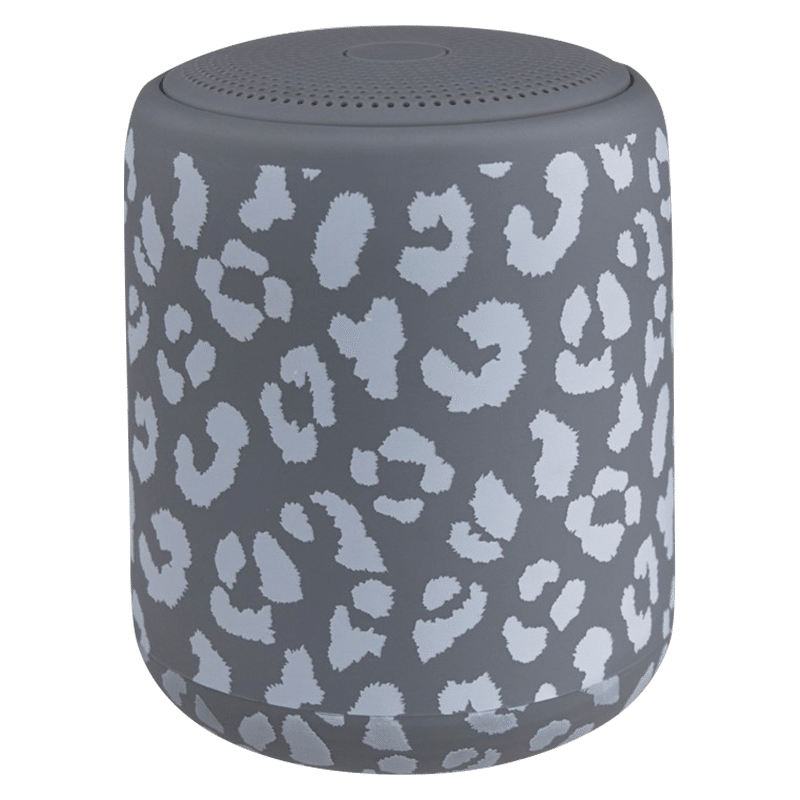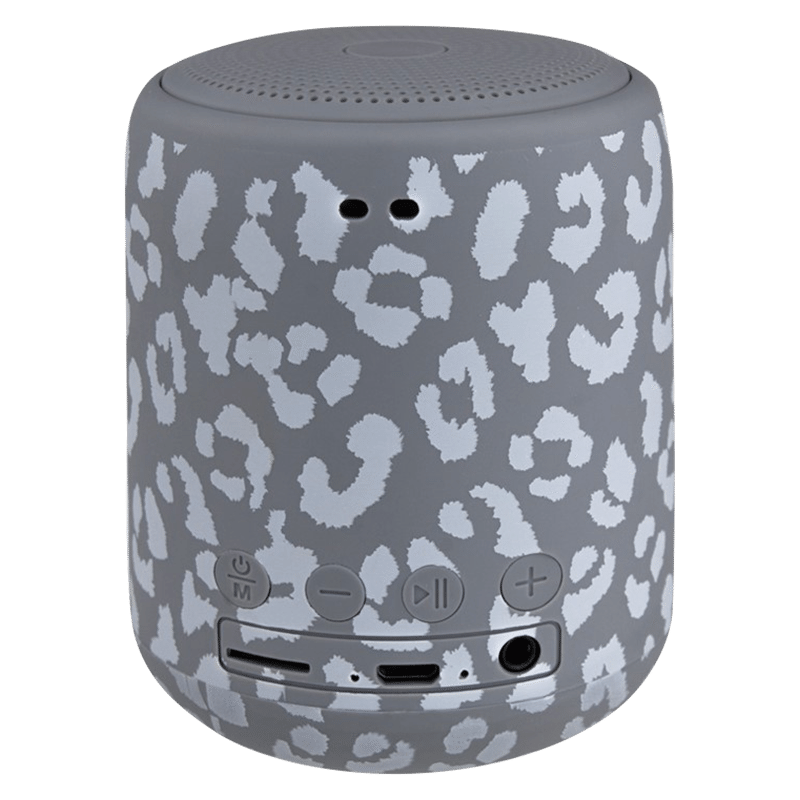
The perfect accessory for music lovers on the go! This powerful little speaker packs a punch with its 360° sound design, ensuring that you can enjoy high-quality audio from every direction.
POP Wireless Speaker, USB Cable
3.5" X 3" X 3"
Charge the speaker: Use the included charging cable to connect the CYLO POP speaker to a power source. The LED light on the side of the speaker will turn red to indicate that it's charging. The speaker should fully charge in approximately 2 hours. Turn on the speaker: Press and hold the power button located on the bottom of the speaker until the LED light on the side of the speaker turns blue. This means that the speaker is on and ready to pair with your device. Enable Bluetooth: Turn on Bluetooth on your device and search for available devices. Select the "CYLO POP" option from the list of available devices. Pair the speaker: Once you have selected the "CYLO POP" option, the LED light on the side of the speaker will turn solid blue, indicating that the pairing process is complete. Play music: Once the pairing process is complete, you can start playing music on your device. The audio will automatically stream through the CYLO POP speaker. Adjust volume and other settings: Use the buttons located on the bottom of the speaker to adjust the volume, skip tracks, or pause and play your music. You can also use the speaker to answer and end phone calls, and the built-in microphone ensures that you can communicate clearly with the person on the other end. Turn off the speaker: To turn off the CYLO POP speaker, simply press and hold the power button until the LED light on the side of the speaker turns off.
ABS Plastic, Silicone
Compatible with all Bluetooth enabled devices